hydrant

The product tour.

Nine stops. Everything on them has shipped.

Watch the film, 1 minute 14 seconds

Capture it now. Argue about the size later.

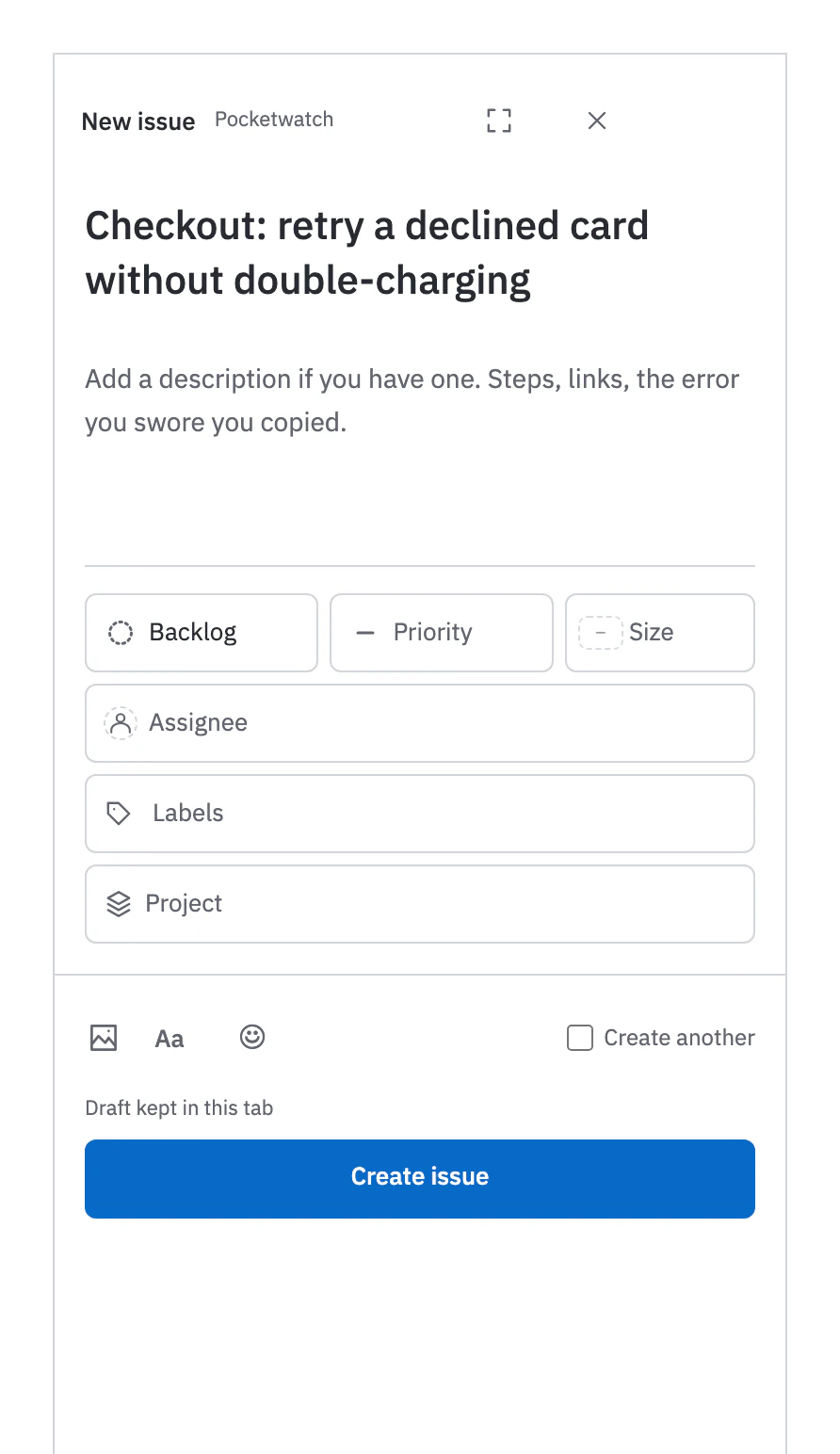
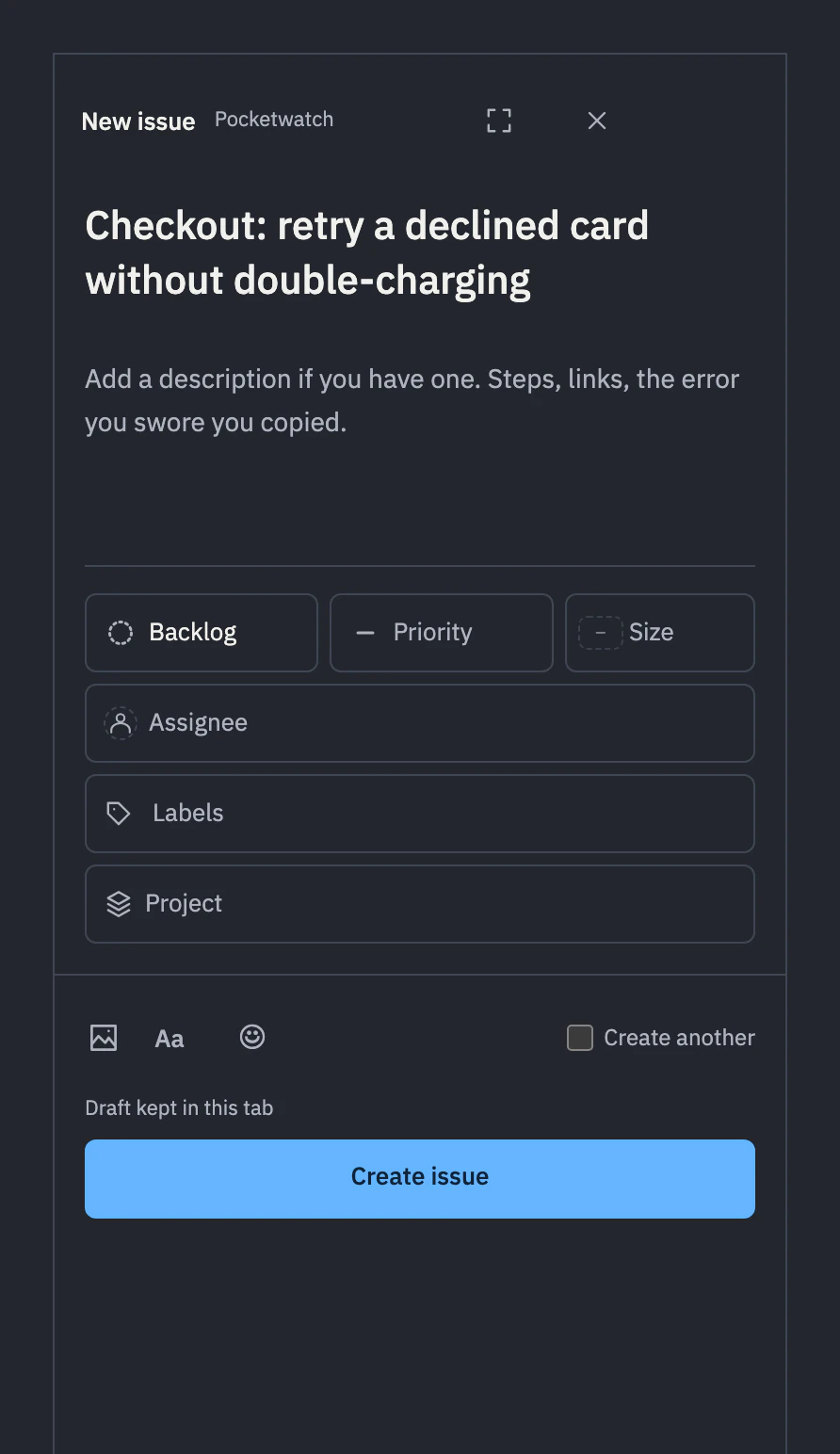
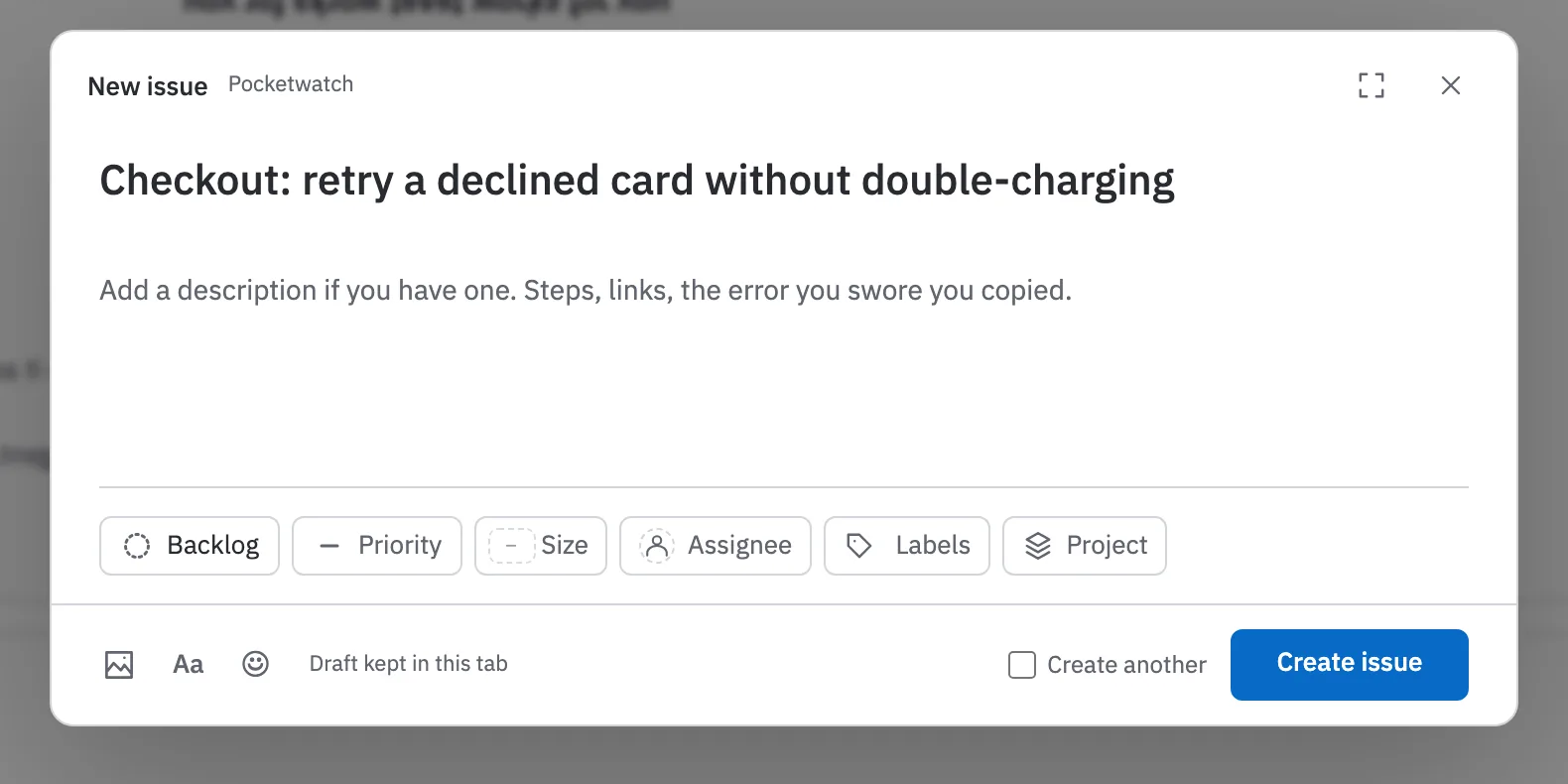
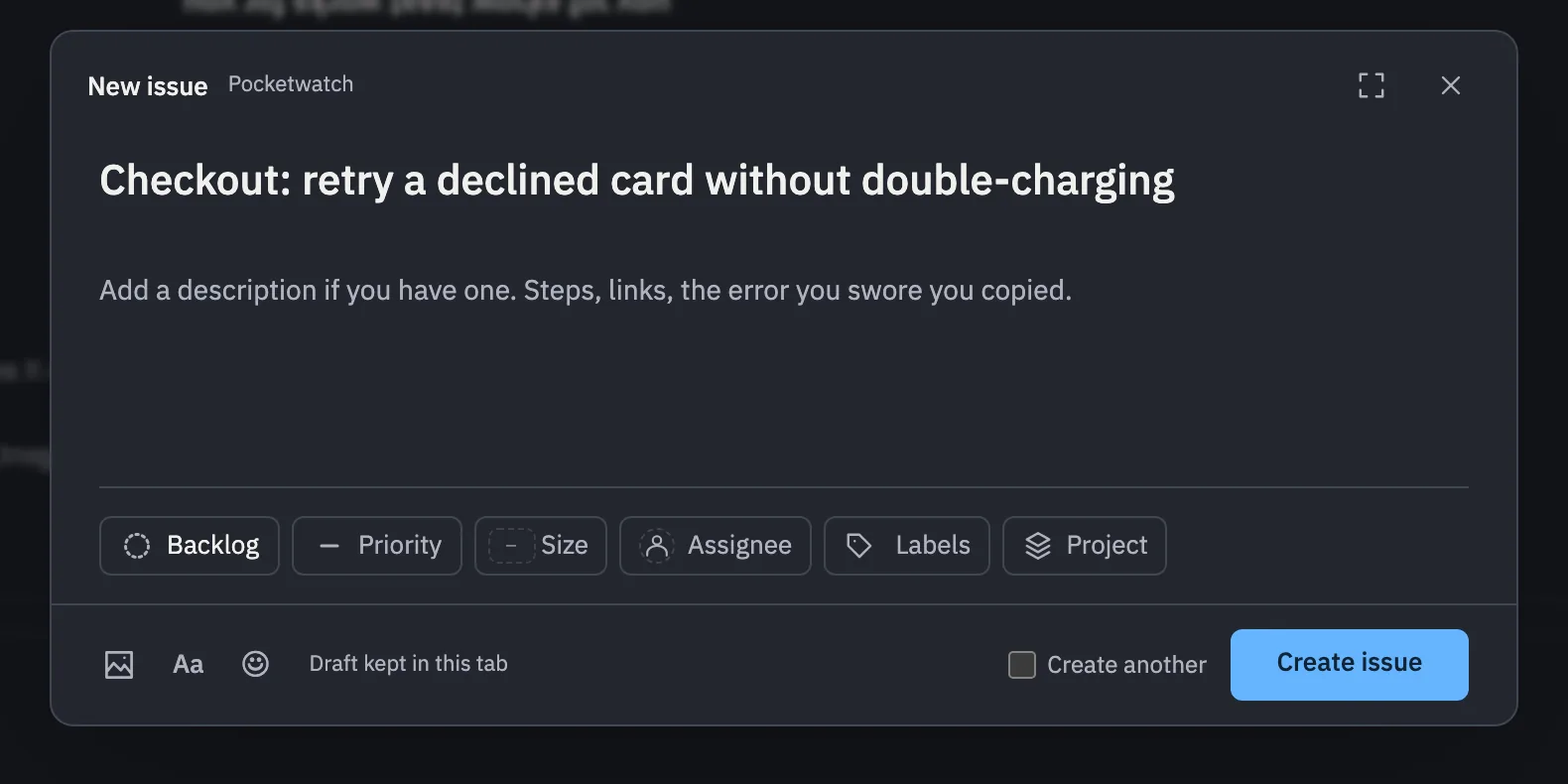
Quick capture takes a title and a Markdown body, then offers an unsolicited opinion on size, labels and likely duplicates. Nothing reaches Ready until someone refines it, agents included.
How capture works

Quick capture: a New issue dialog with a typed title, room for a description, and one row of property chips: status, priority, size, assignee, labels and project.Quick capture: a New issue dialog with a typed title, room for a description, and one row of property chips: status, priority, size, assignee, labels and project.Quick capture: a New issue dialog with the typed title Checkout: retry a declined card without double-charging, room for a description, and property chips stacked in rows (status, priority, size, assignee, labels and project) above Create issue.Quick capture: a New issue dialog with the typed title Checkout: retry a declined card without double-charging, room for a description, and property chips stacked in rows (status, priority, size, assignee, labels and project) above Create issue.

Every agent is somebody’s. The byline says whose.

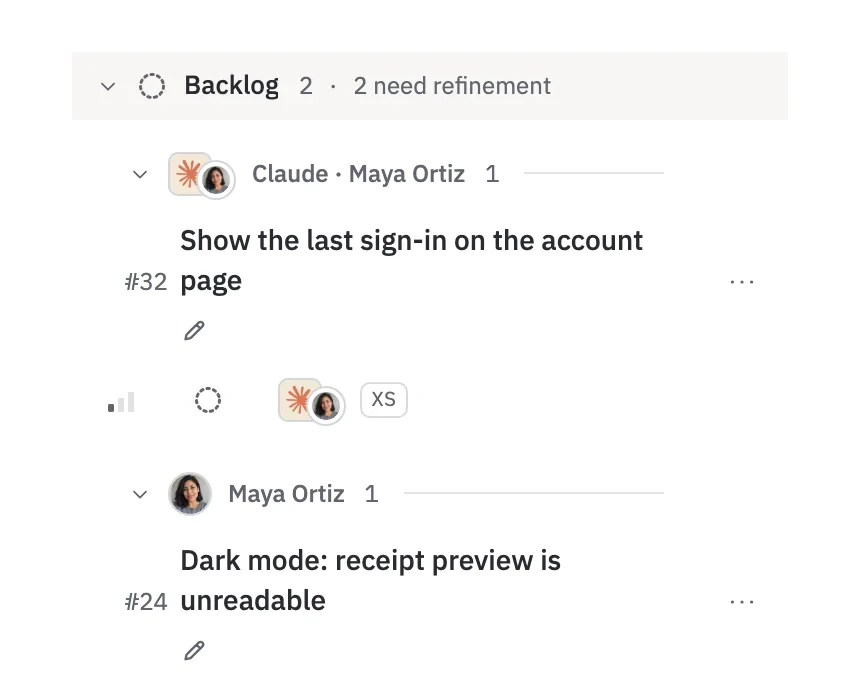
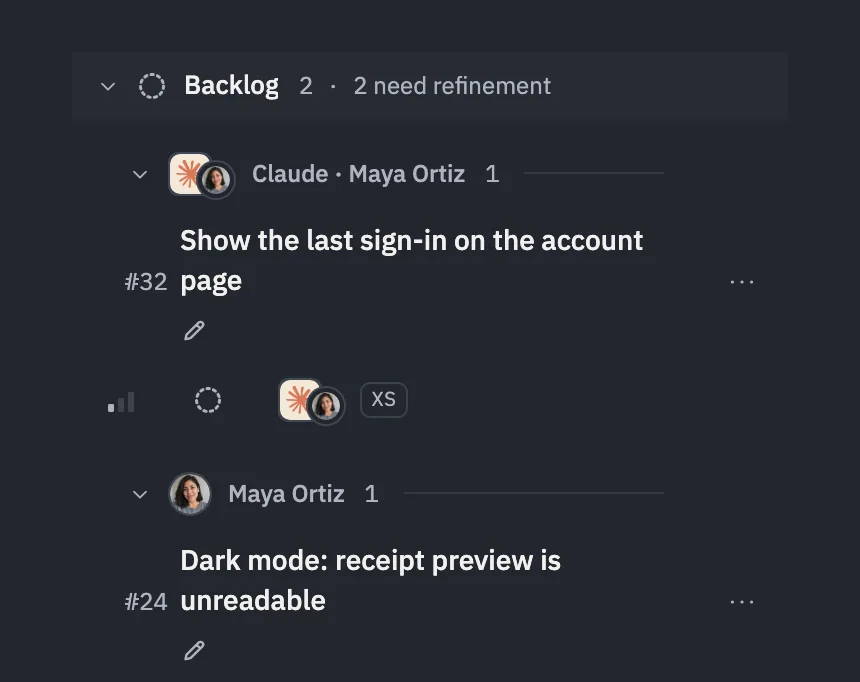
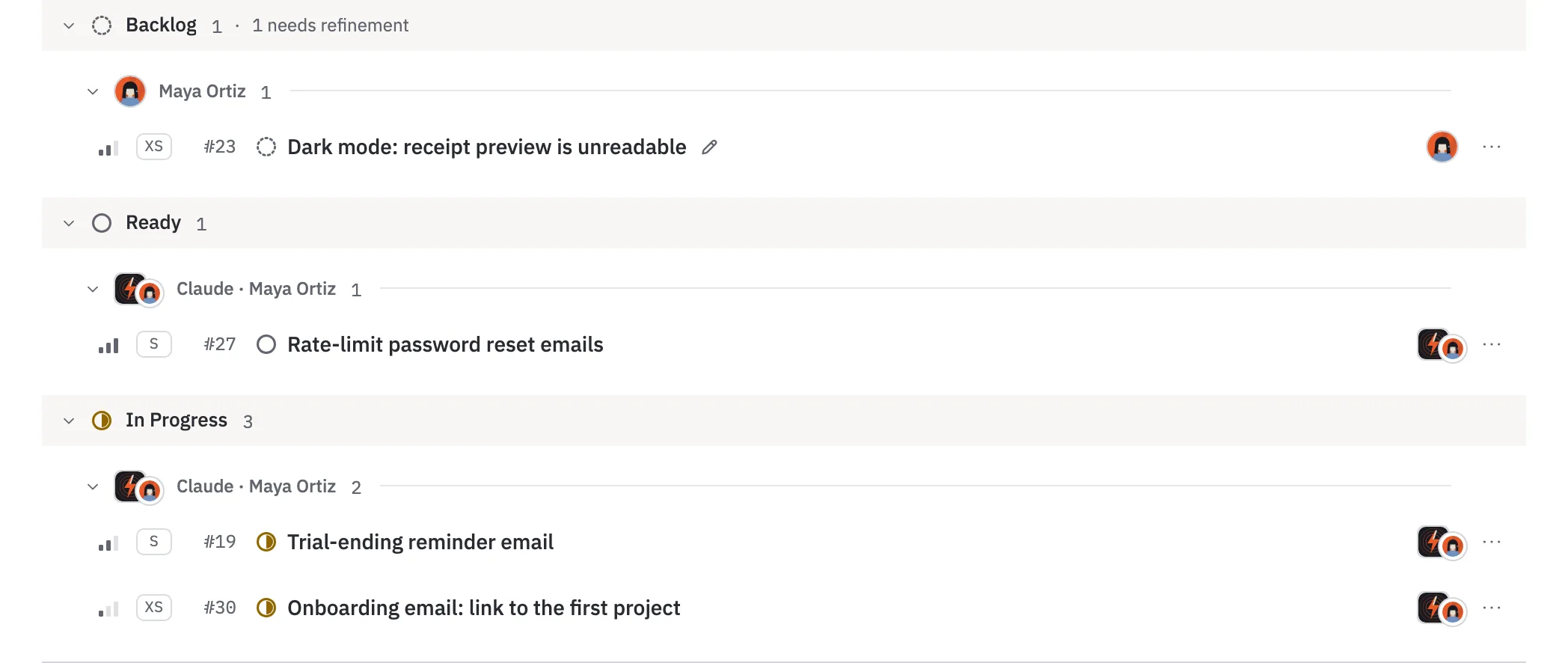
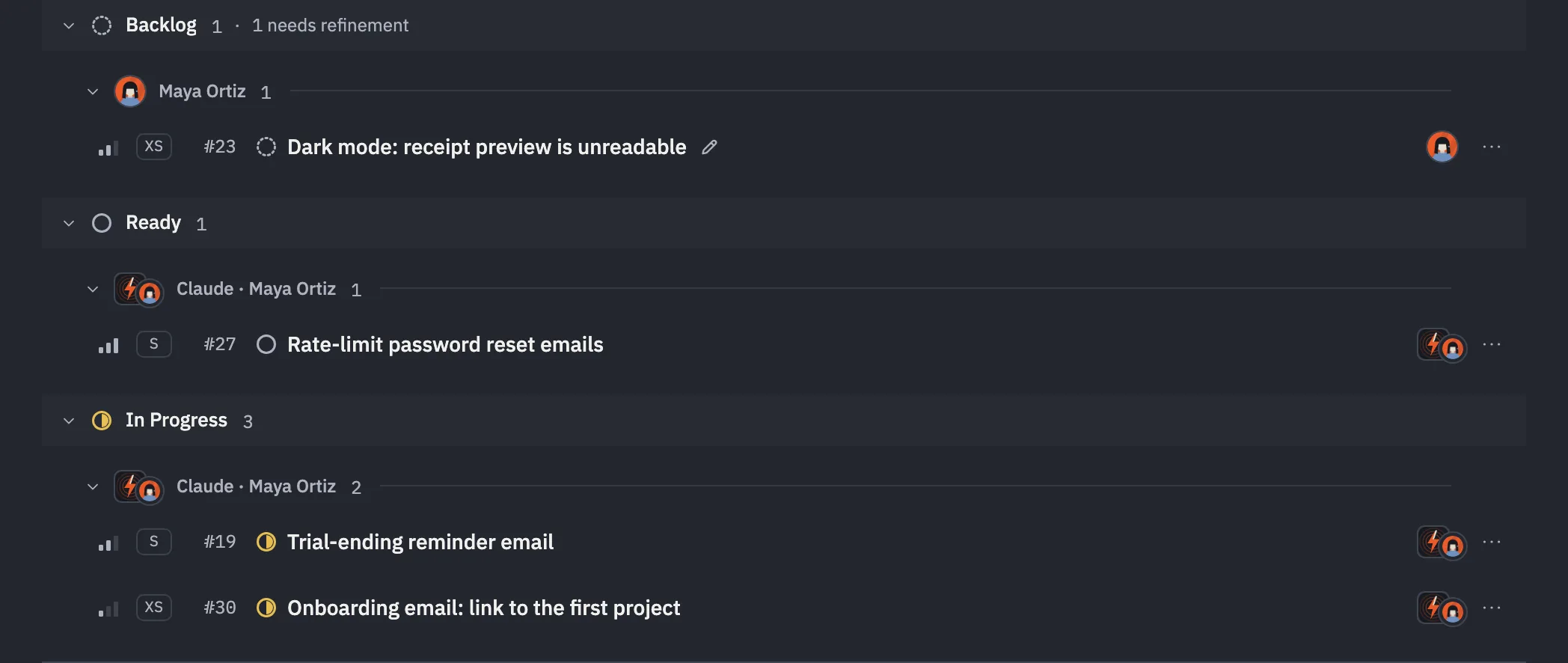
Its byline reads “Claude (agent; via you)”. It gets in through your browser sign-in, GitHub or an email code; through auth.md when it can’t open a browser; or with an agent key. Never more access than you have, and it loses it the moment you revoke. Cockpit puts your issues and your agent’s in one list.
In Claude’s Connectors Directory, the MCP Registry and GlamaConnect your agent

Cockpit: issues grouped by status, then by assignee: Maya Ortiz’s own and her agent Claude’s.Cockpit: issues grouped by status, then by assignee: Maya Ortiz’s own and her agent Claude’s.Cockpit’s Backlog group, 2 issues that need refinement, split by assignee: #32 Show the last sign-in on the account page for Claude · Maya Ortiz, then #24 Dark mode: receipt preview is unreadable for Maya Ortiz.Cockpit’s Backlog group, 2 issues that need refinement, split by assignee: #32 Show the last sign-in on the account page for Claude · Maya Ortiz, then #24 Dark mode: receipt preview is unreadable for Maya Ortiz.

Your agent’s tools, from your terminal. Same access, same refusals.

npm i -g @hydrantdev/cli, then hydrant login opens the same Connect page your agent uses. Tables for people, JSON for pipelines, and a status move the moment the work lands.

Use the Hydrant CLI

hydrant whoami
Workspace  Pocketwatch (owner)
Access     read and write
Using      HYDRANT_KEY · Claude Code · Maya’s laptop

hydrant status 31 done
#31 → Done

hydrant list --status ready --limit 8
#   Status Priority Assignee            Title
#36 Ready  Medium   Claude · Maya Ortiz Ask for a VAT number at checkout
#35 Ready  Medium   Codex · Jonah Reyes VAT invoices for EU customers
#34 Ready  High     Codex · Jonah Reyes Partial refunds from the dashboard
#33 Ready  High     Claude · Maya Ortiz Refund button on the order page
#29 Ready  Medium   Codex · Jonah Reyes Retry webhook deliveries to customer endpoints
#28 Ready  Medium   Jonah Reyes         Docs: verifying webhook signatures
#27 Ready  High     Claude · Maya Ortiz Rate-limit password reset emails

Columns, swimlanes, nowhere to hide.

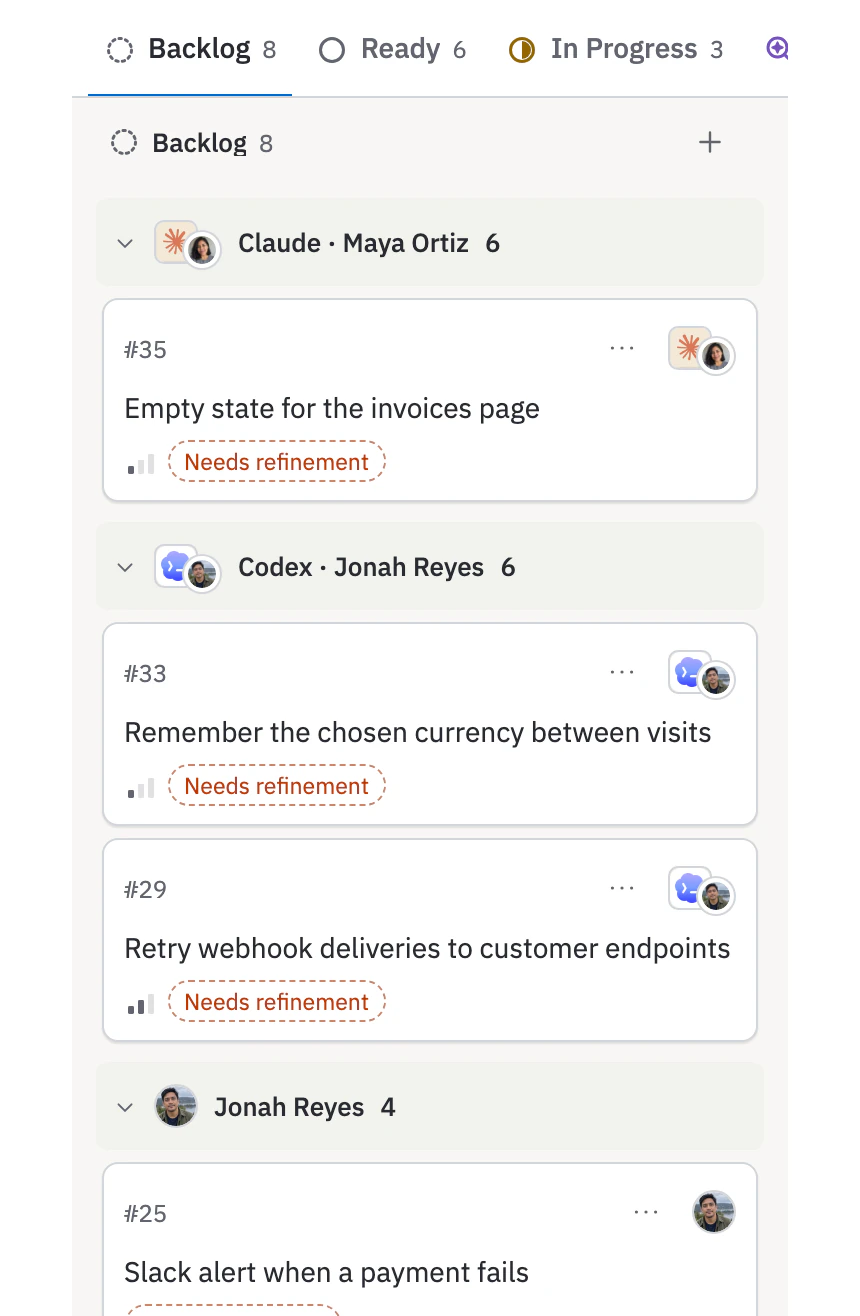
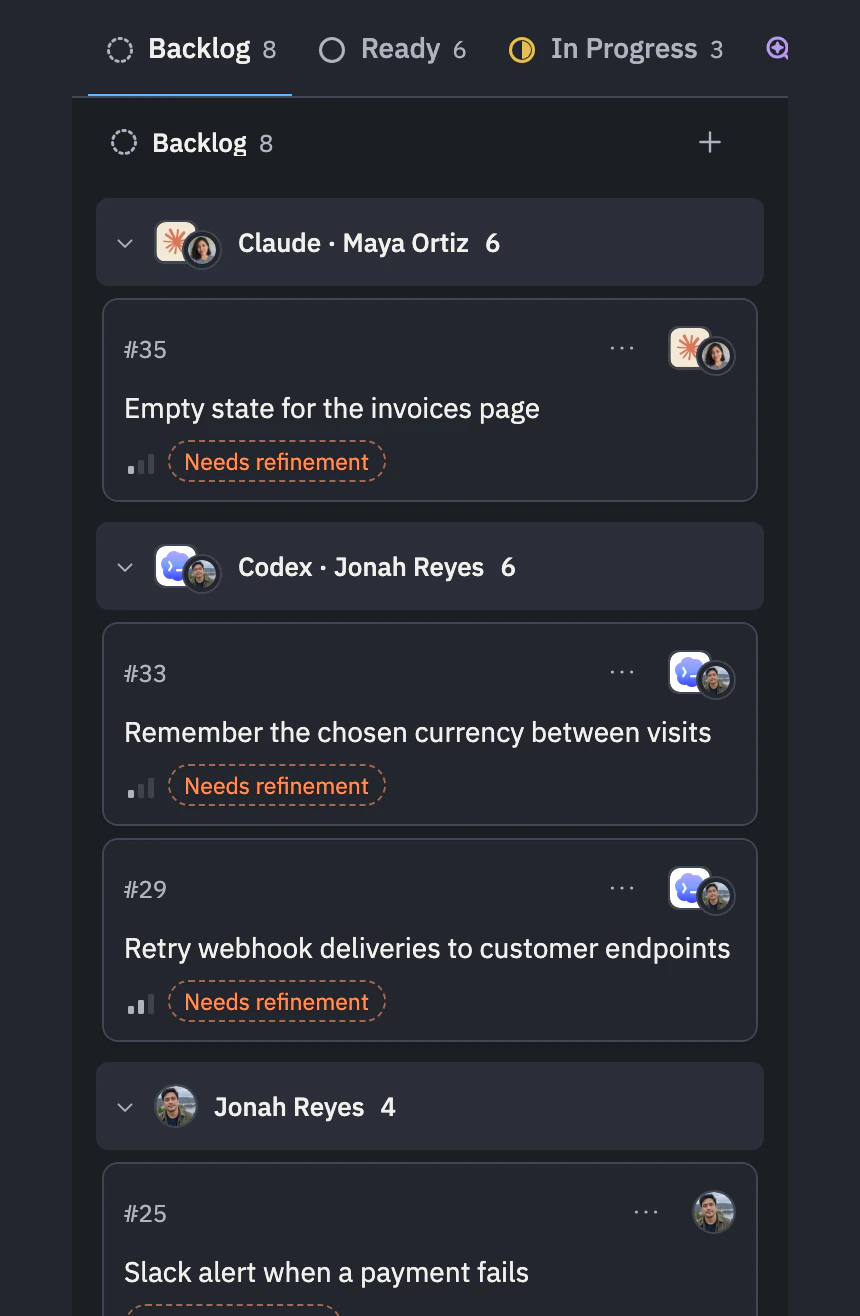
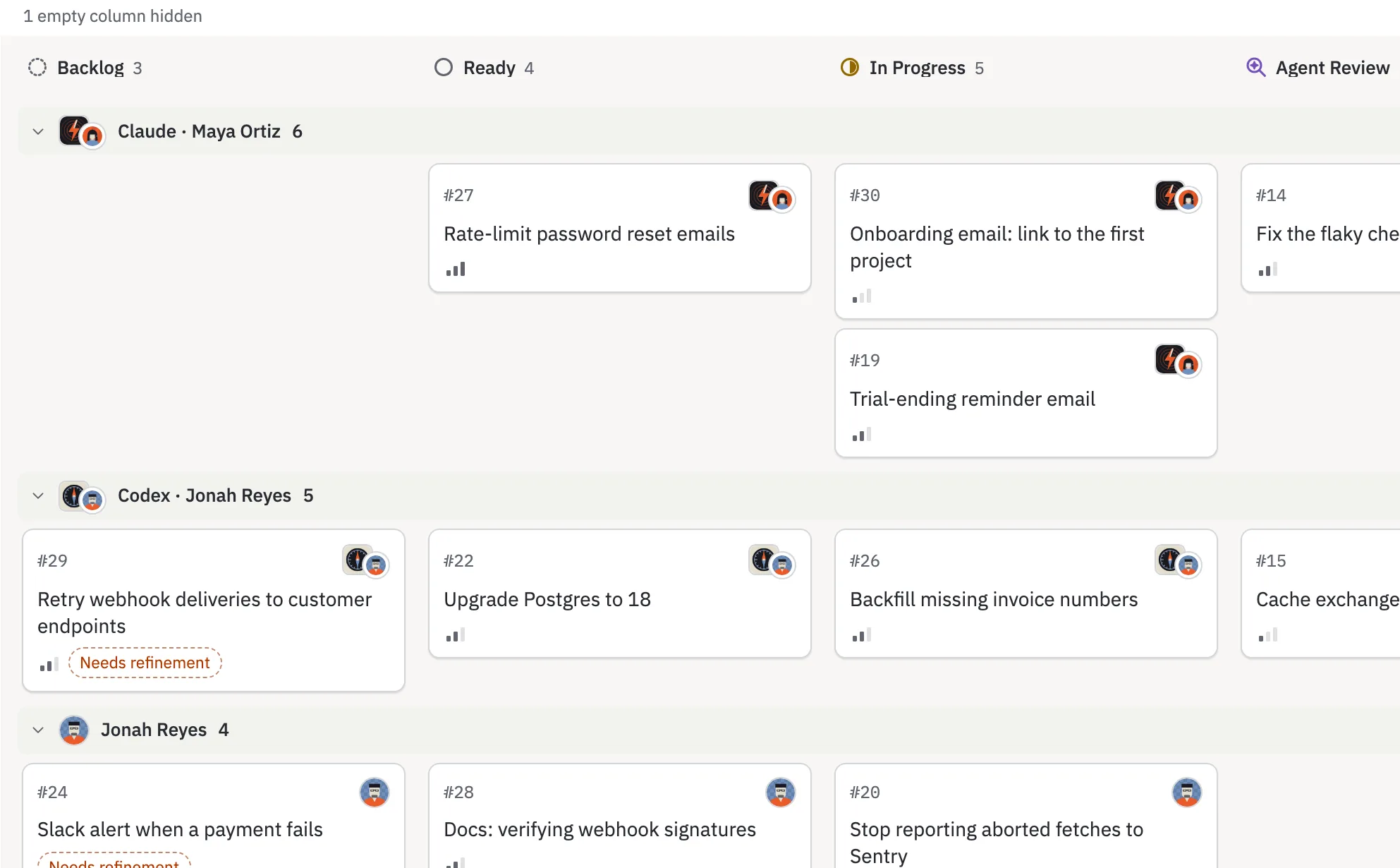
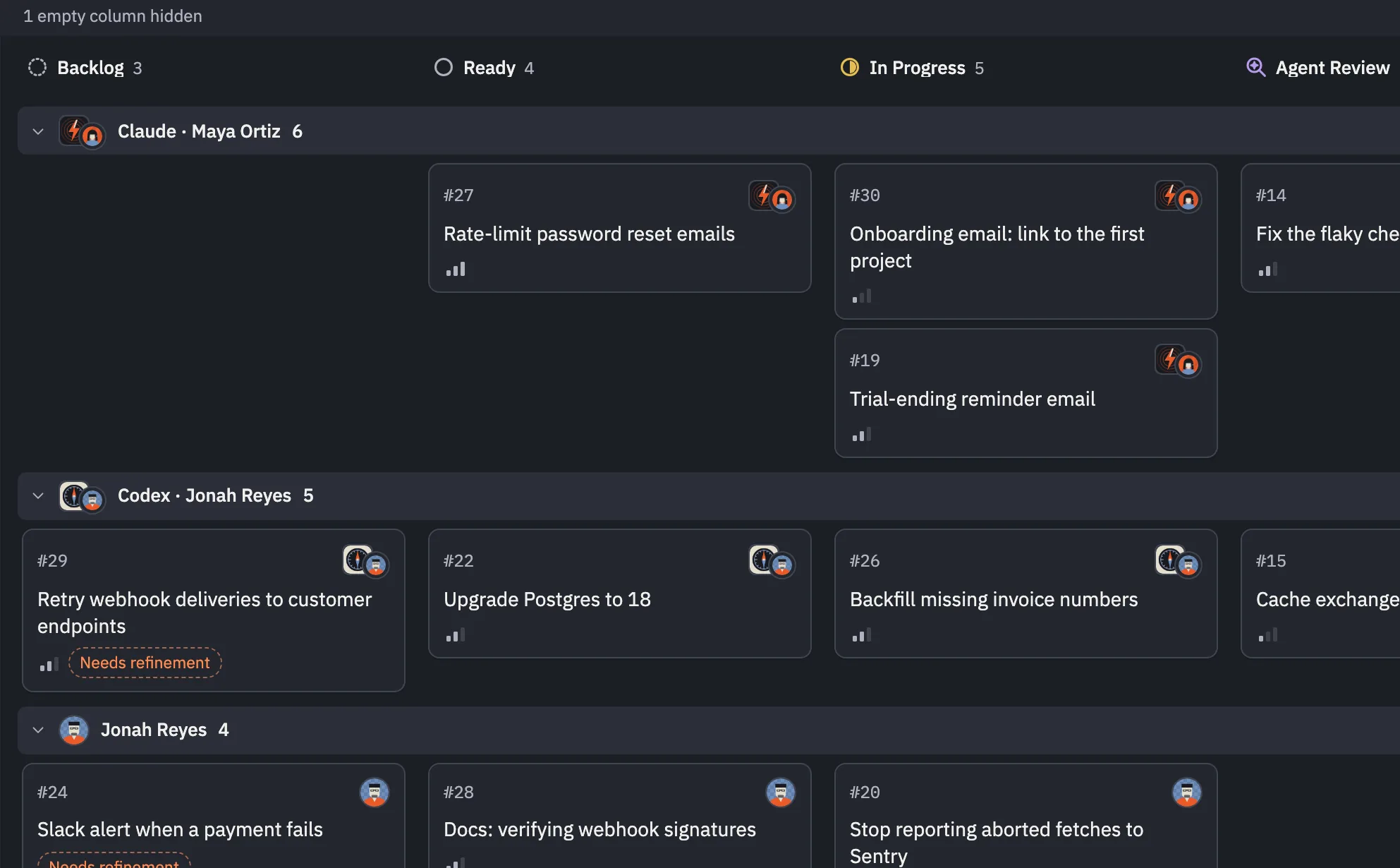
Swimlanes by assignee give each agent a lane that says whose agent it is, so everyone can see who’s sitting on what.
How the Board works

The Board: all five status columns (Backlog, Ready, In Progress, Agent Review, Human Review) and a swimlane per assignee: Claude (Maya Ortiz’s agent) with a card in every column, then Codex (Jonah Reyes’s agent), Jonah Reyes and Maya Ortiz.The Board: all five status columns (Backlog, Ready, In Progress, Agent Review, Human Review) and a swimlane per assignee: Claude (Maya Ortiz’s agent) with a card in every column, then Codex (Jonah Reyes’s agent), Jonah Reyes and Maya Ortiz.The Board’s Backlog column under its status tabs (Backlog 8, Ready 6, In Progress 3), with a swimlane per assignee: Claude · Maya Ortiz with #35 Empty state for the invoices page, Codex · Jonah Reyes with #33 and #29, then Jonah Reyes with #25 Slack alert when a payment fails. The cards shown are tagged Needs refinement.The Board’s Backlog column under its status tabs (Backlog 8, Ready 6, In Progress 3), with a swimlane per assignee: Claude · Maya Ortiz with #35 Empty state for the invoices page, Codex · Jonah Reyes with #33 and #29, then Jonah Reyes with #25 Slack alert when a payment fails. The cards shown are tagged Needs refinement.

Everything waiting on you, minus the archaeology.

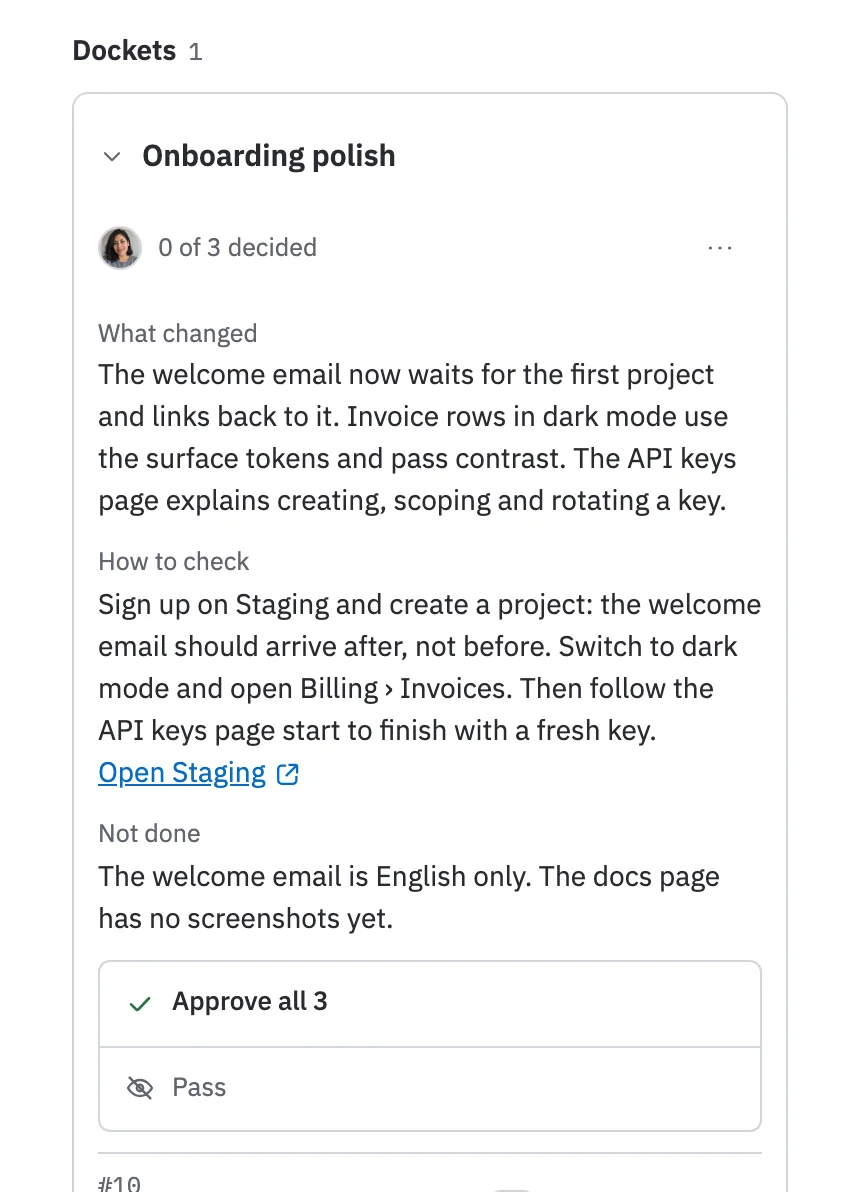
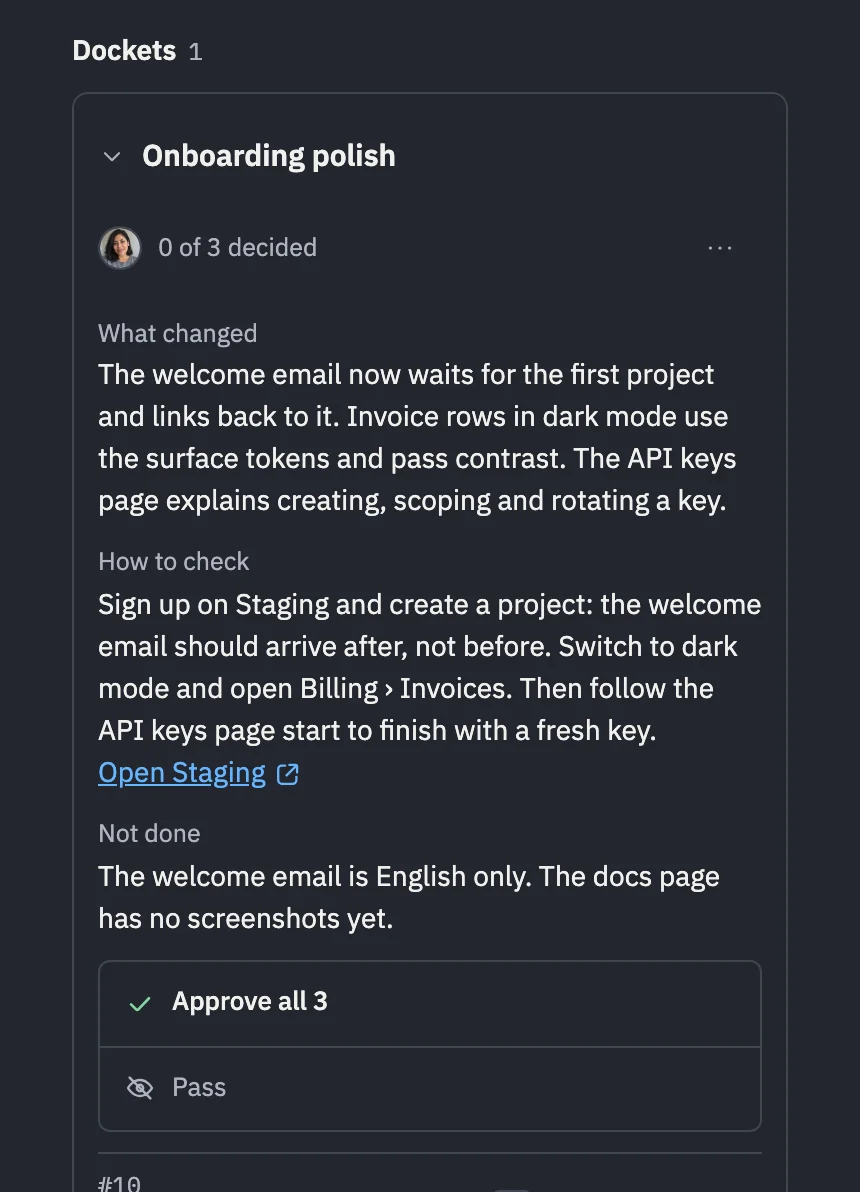
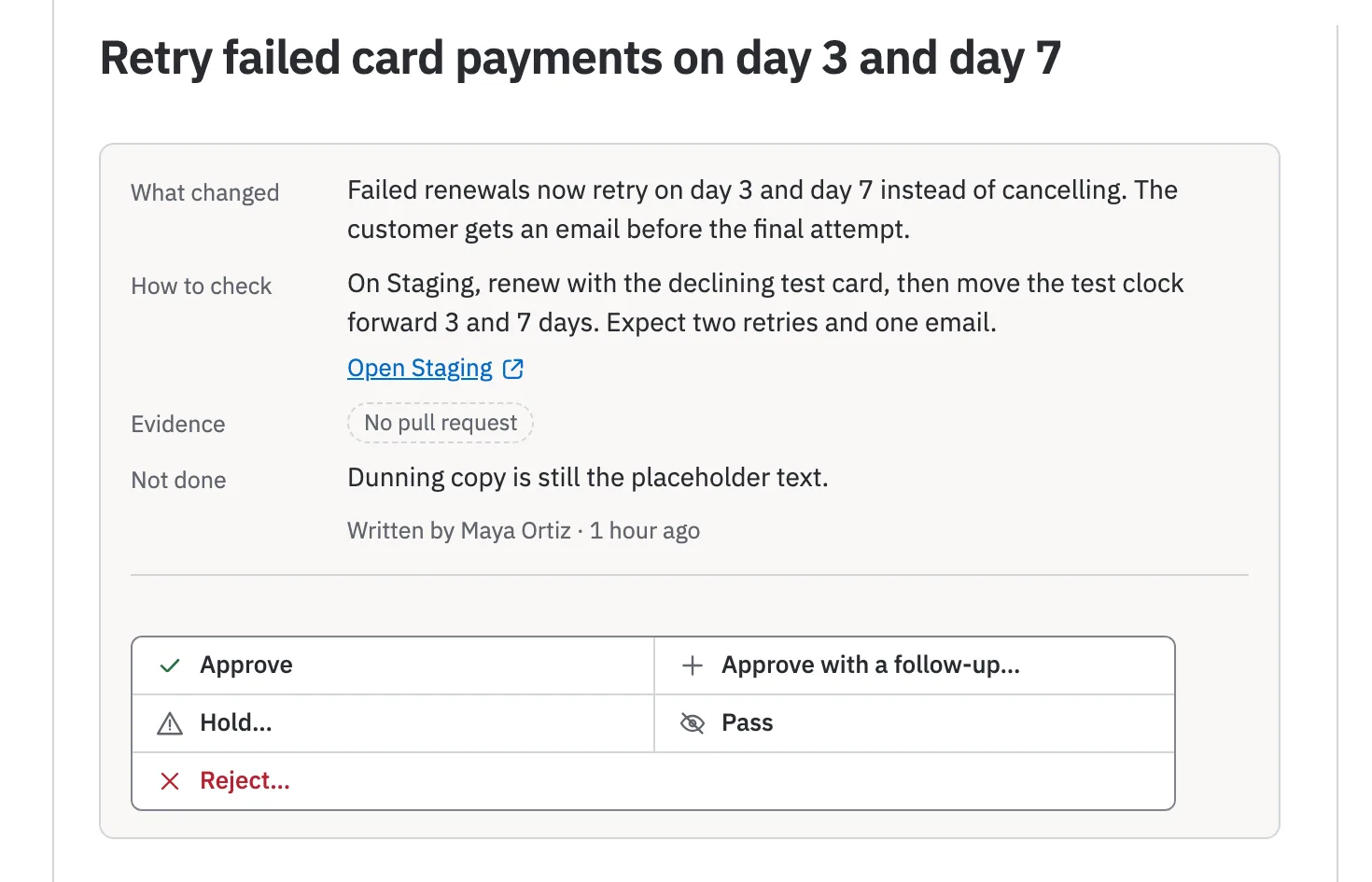
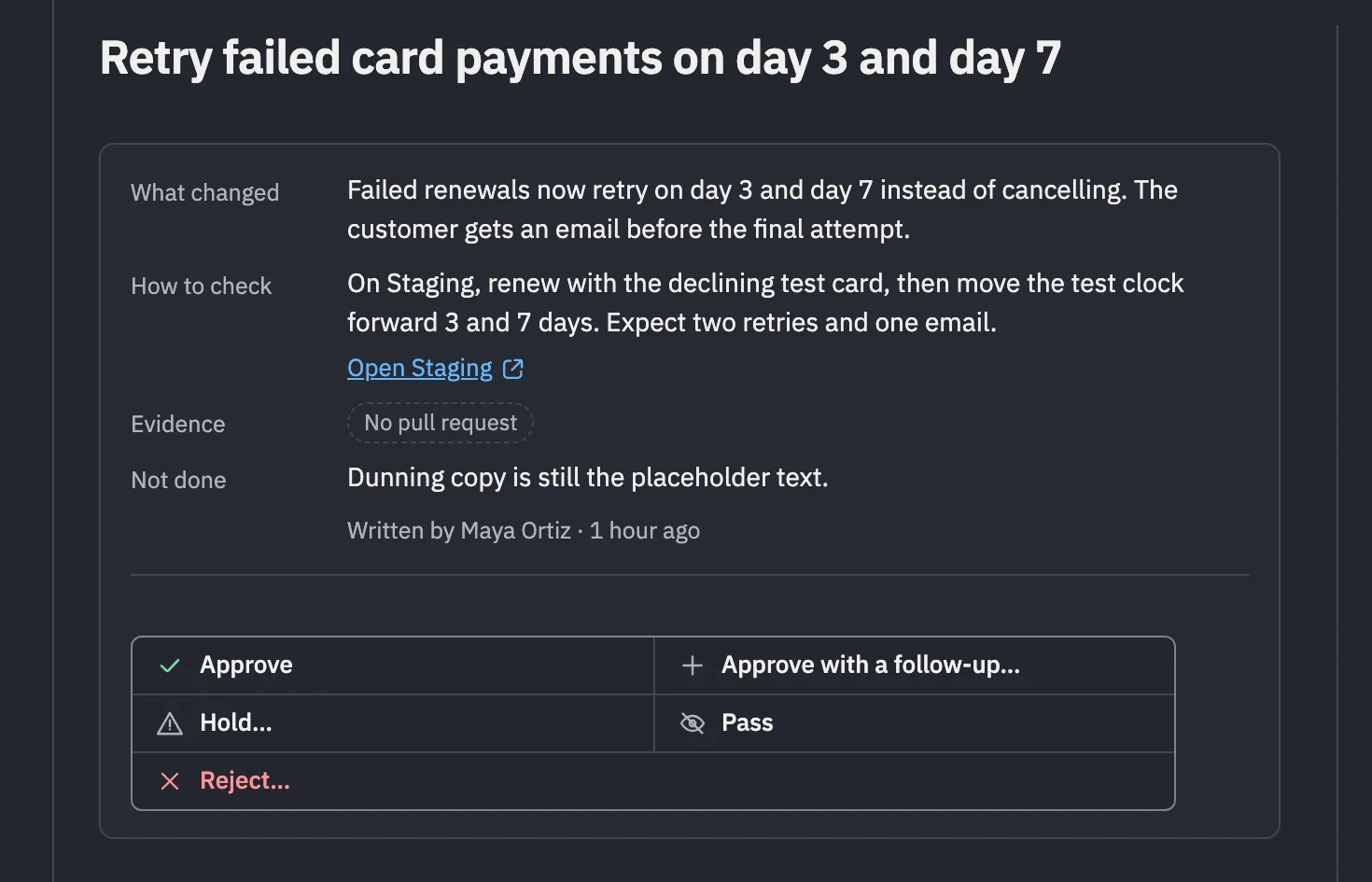
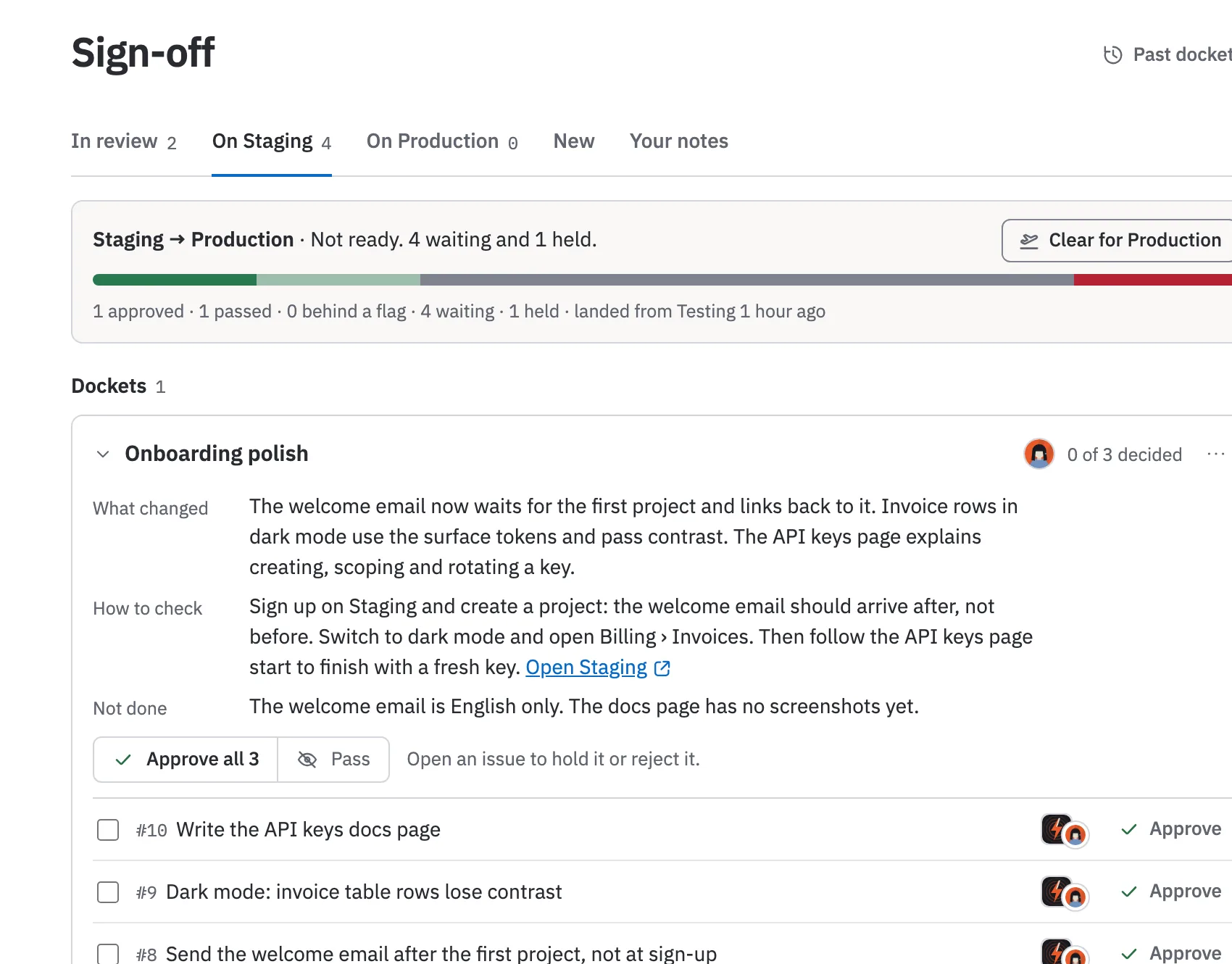
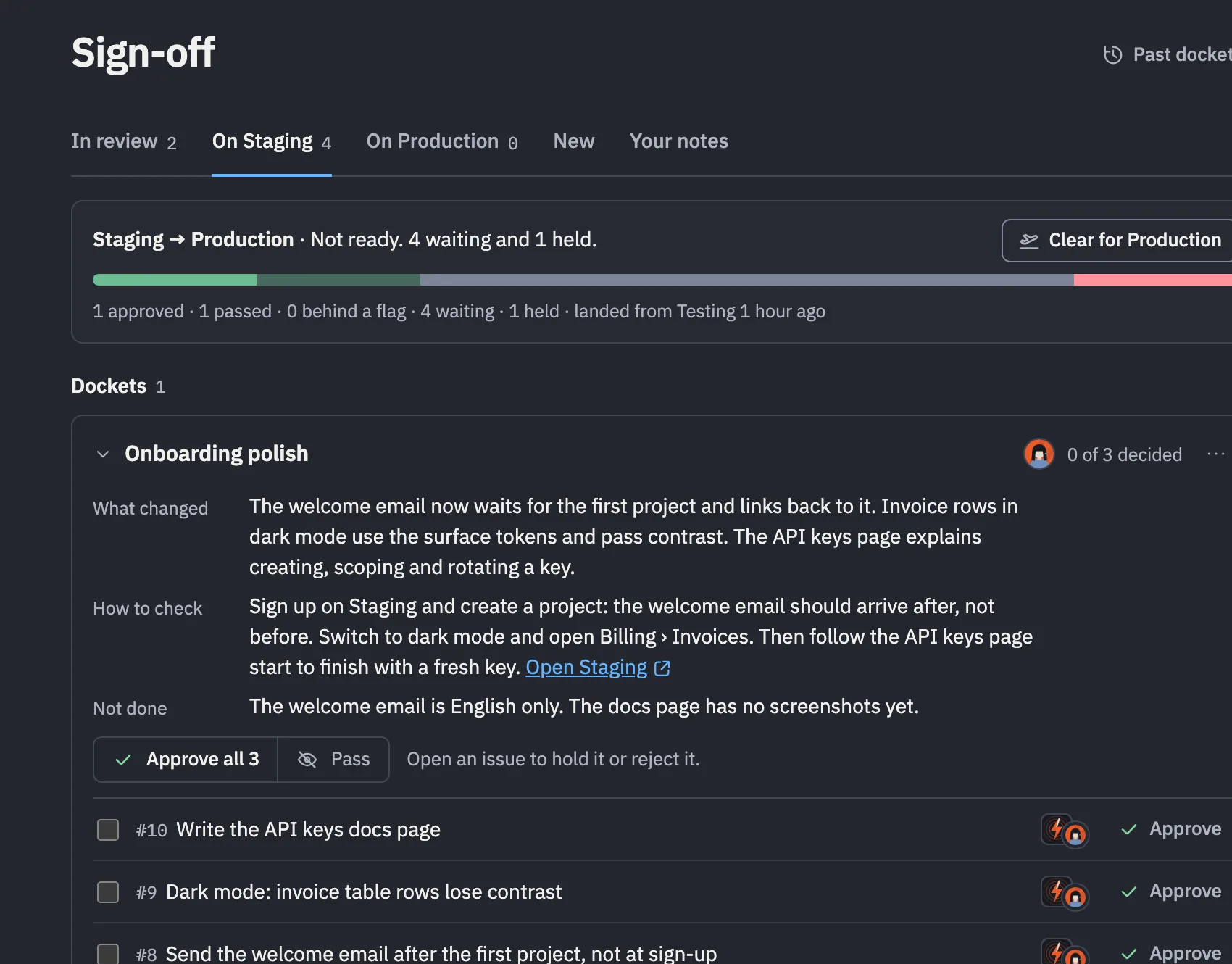
Sign-off collects what’s in review. A brief says what changed, how to check and what isn’t done; a docket takes one answer for three.
How Sign-off works

Sign-off, On Staging tab. Staging to Production: not ready, 4 waiting and 1 held. Below it, a docket of three issues called Onboarding polish, with its brief (What changed, How to check, Not done) above Approve all 3 and Pass, then its issues, each assigned to Claude, Maya Ortiz’s agent.Sign-off, On Staging tab. Staging to Production: not ready, 4 waiting and 1 held. Below it, a docket of three issues called Onboarding polish, with its brief (What changed, How to check, Not done) above Approve all 3 and Pass, then its issues, each assigned to Claude, Maya Ortiz’s agent.A docket called Onboarding polish, 0 of 3 decided, with its brief (What changed, How to check with a link to open Staging, Not done) above Approve all 3 and Pass.A docket called Onboarding polish, 0 of 3 decided, with its brief (What changed, How to check with a link to open Staging, Not done) above Approve all 3 and Pass.
An issue, Retry failed card payments on day 3 and day 7, led by its brief: What changed, How to check with a link to open Staging, Evidence (PR merged, Checks passed) and Not done, written by Maya Ortiz.An issue, Retry failed card payments on day 3 and day 7, led by its brief: What changed, How to check with a link to open Staging, Evidence (PR merged, Checks passed) and Not done, written by Maya Ortiz.

What’s live, without asking the agent that shipped it.

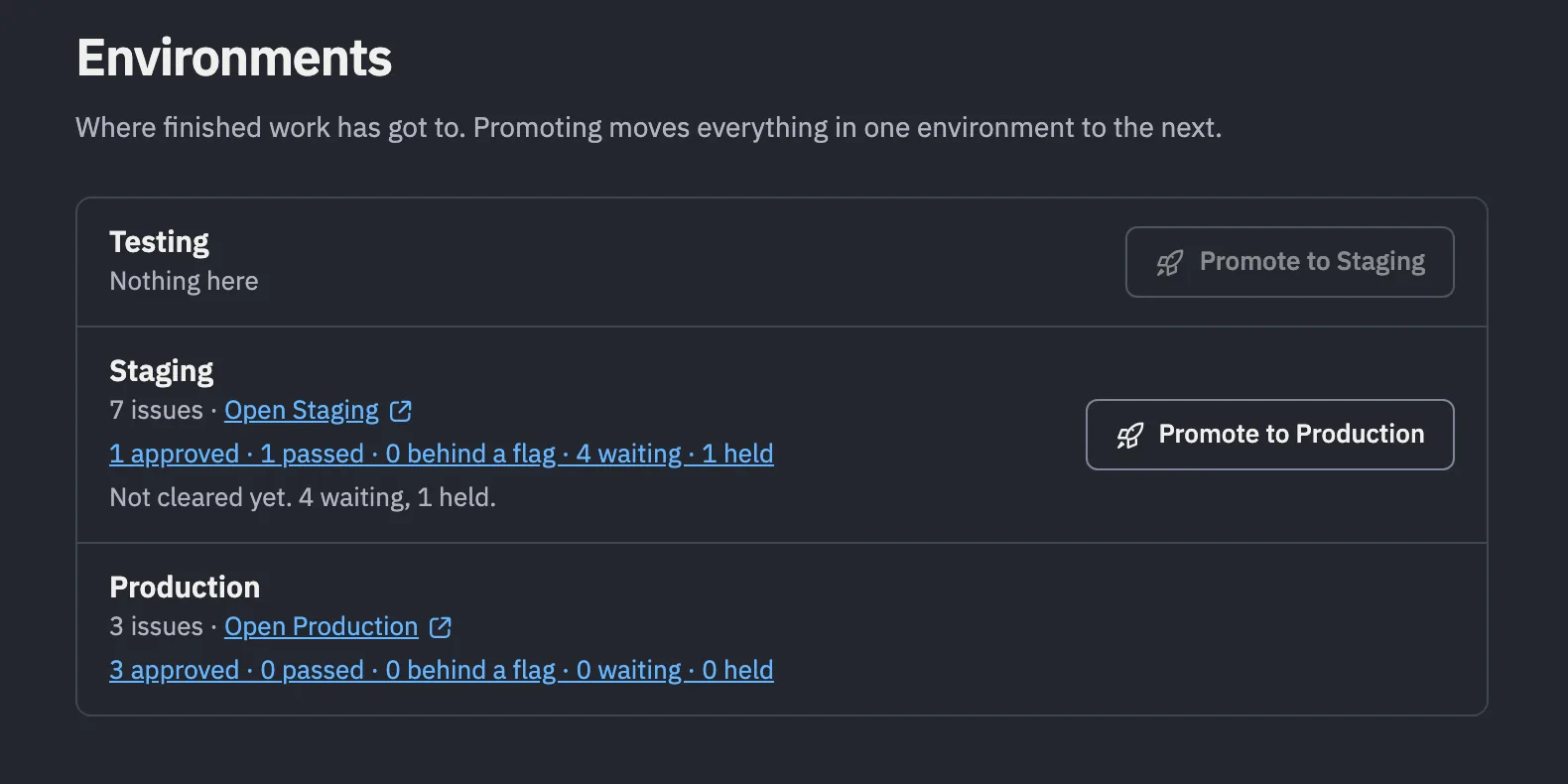
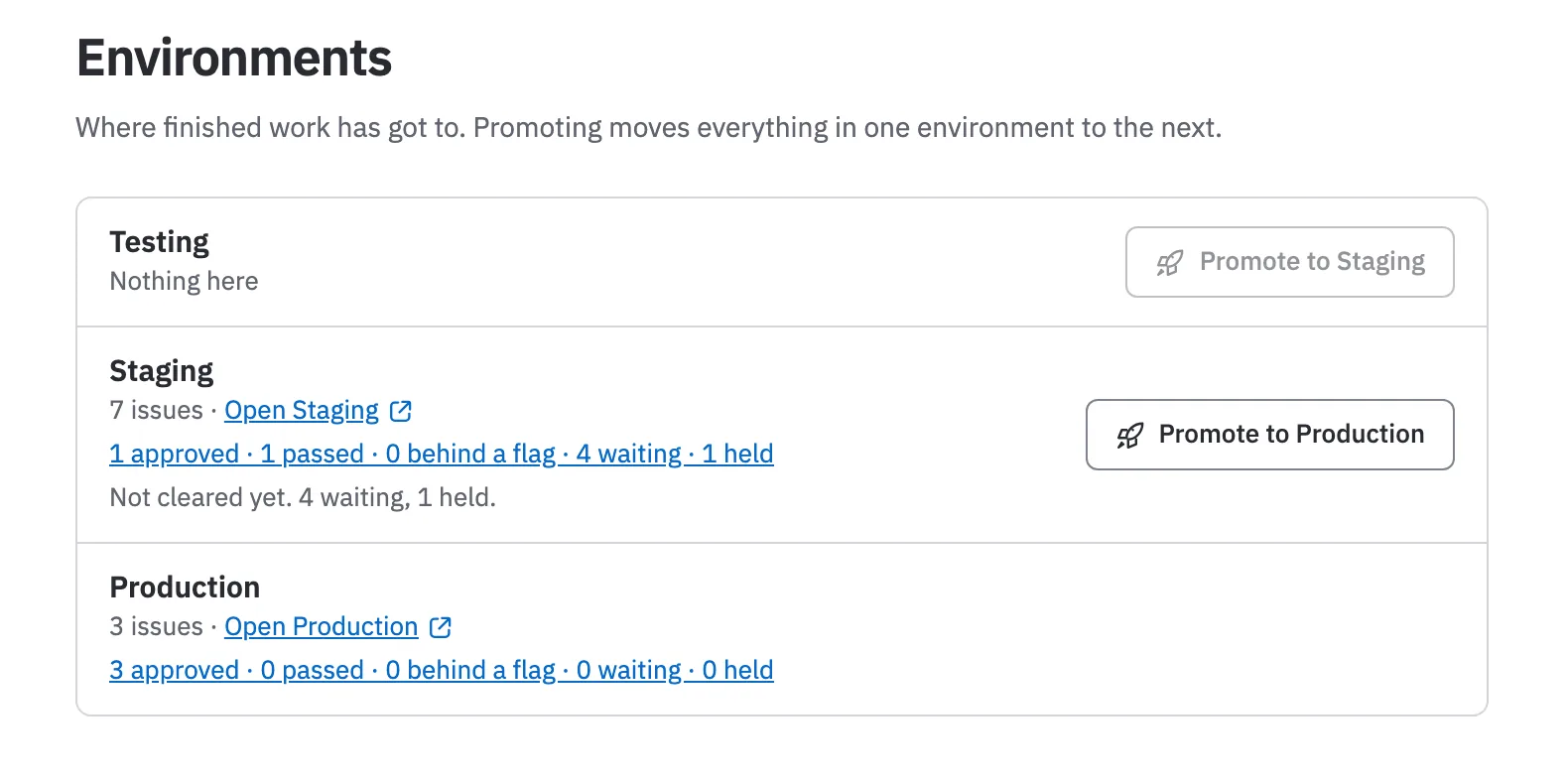
“Done” isn’t an address. Environments are, and a release says when.
Where Done work has got to

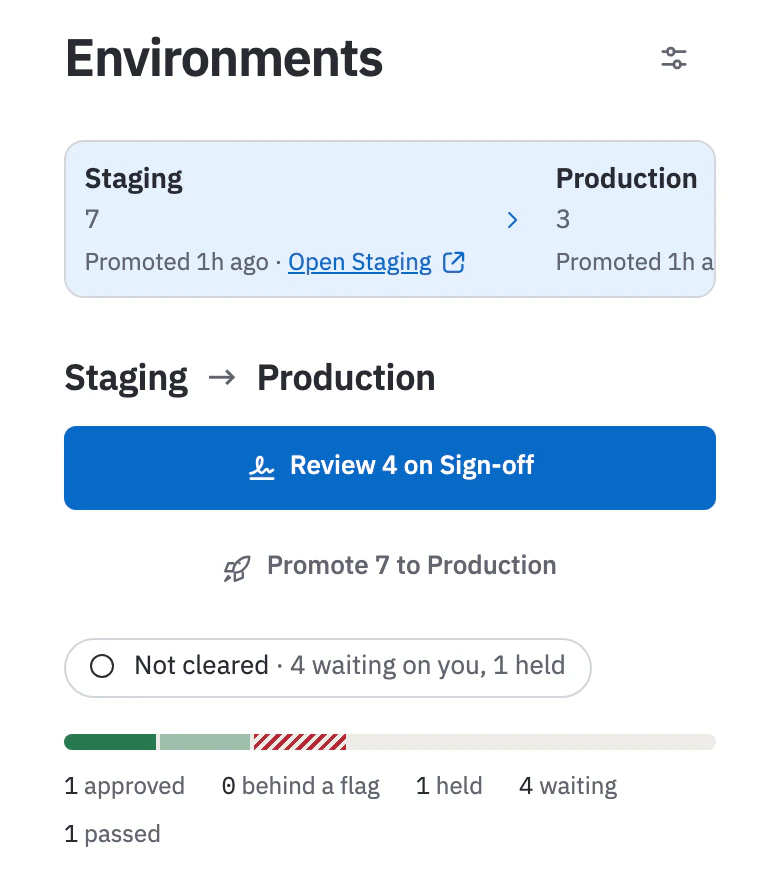
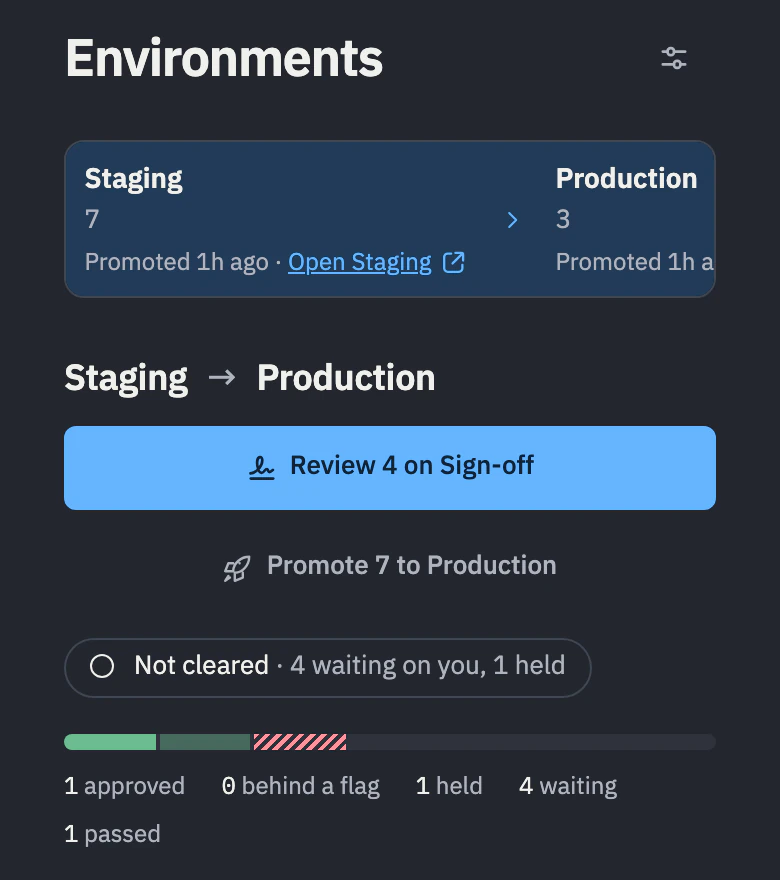
Environments: Testing has 4 issues and is ready. Staging has 7 and is not cleared yet, with 4 waiting and 1 held. Production has 3, from the release Checkout, finally.Environments: Testing has 4 issues and is ready. Staging has 7 and is not cleared yet, with 4 waiting and 1 held. Production has 3, from the release Checkout, finally.Environments: Staging has 7 and Production 3. Below, Staging to Production offers Review 4 on Sign-off and Promote 7 to Production, and reads Not cleared, with 4 waiting on you and 1 held.Environments: Staging has 7 and Production 3. Below, Staging to Production offers Review 4 on Sign-off and Promote 7 to Production, and reads Not cleared, with 4 waiting on you and 1 held.
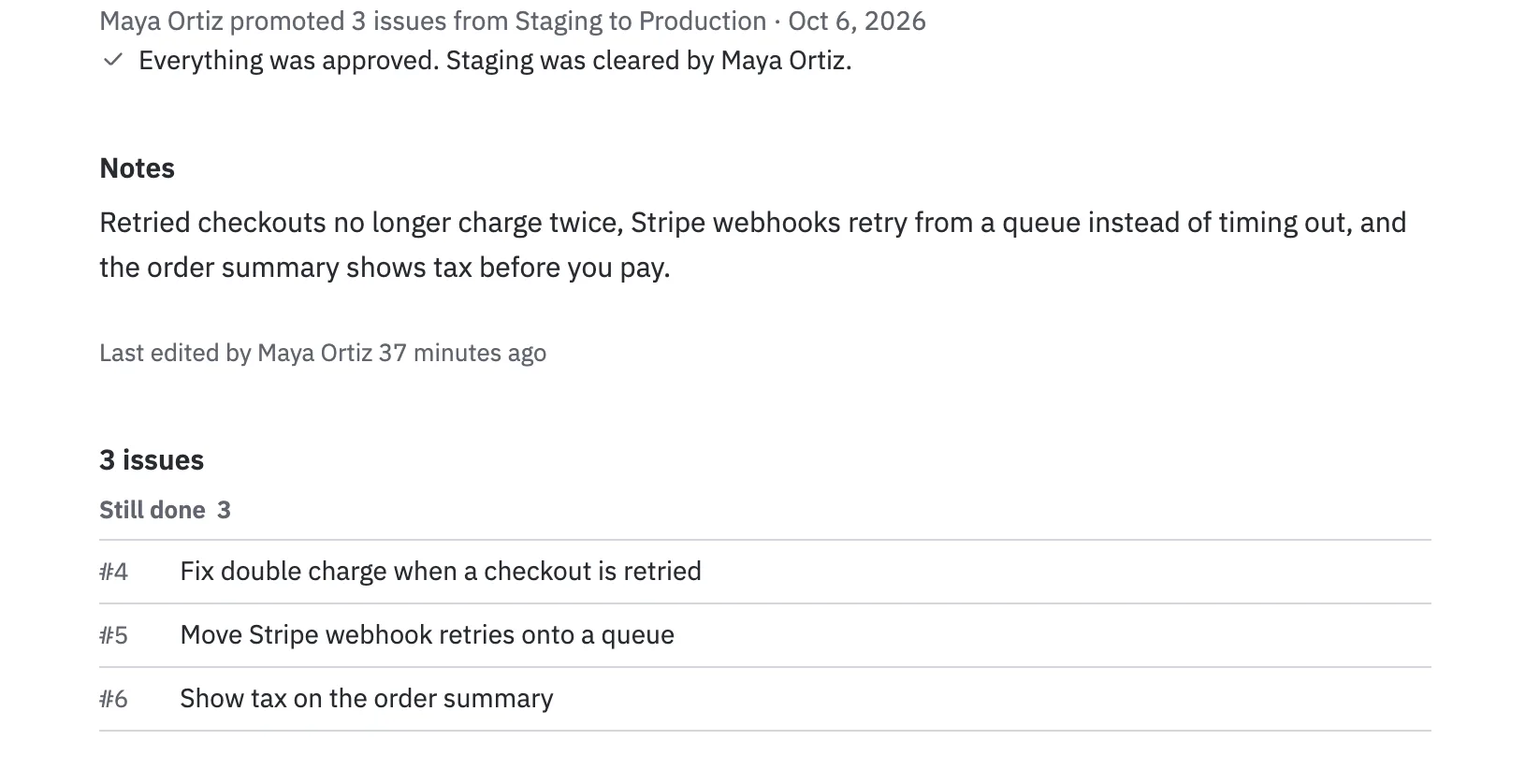
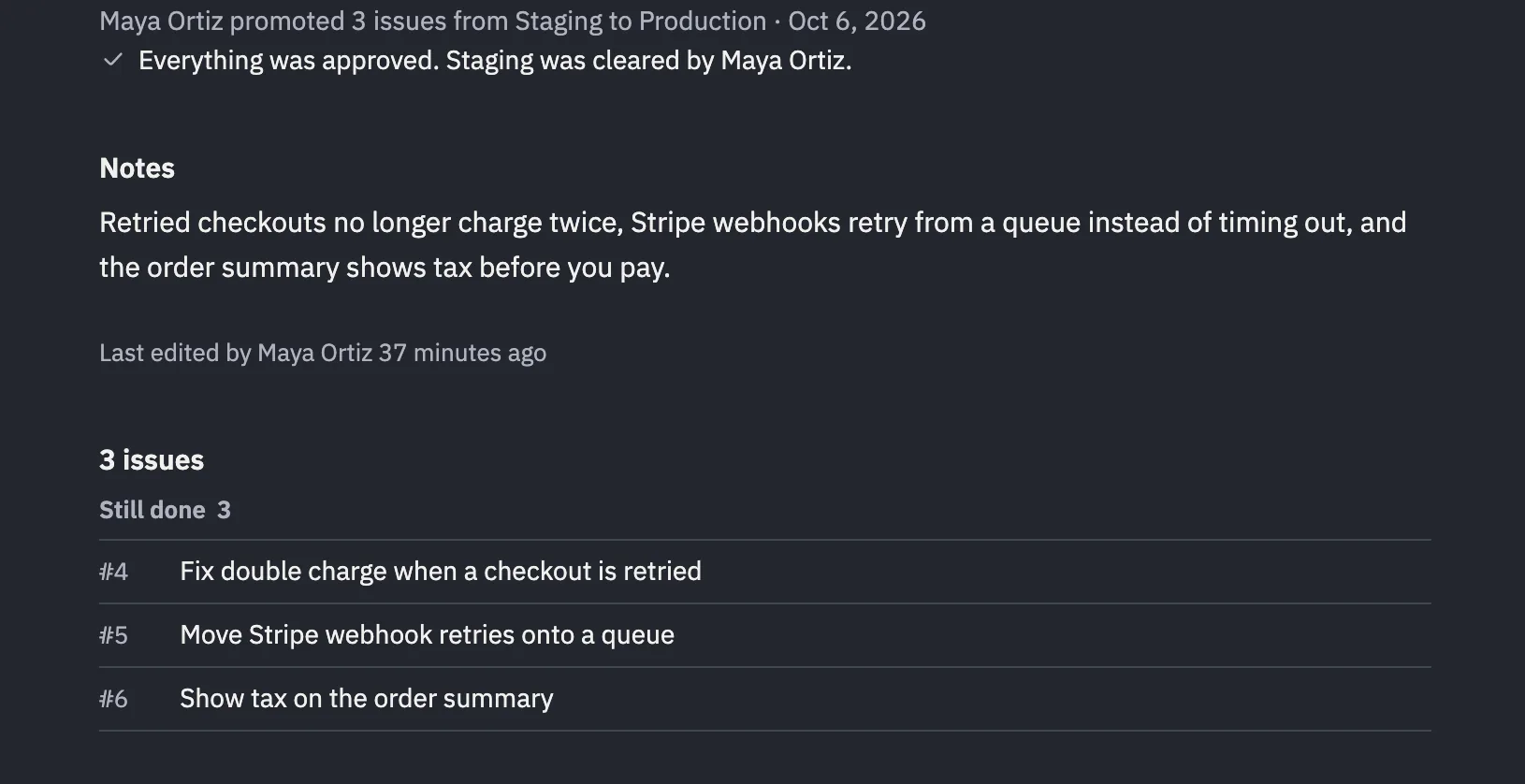
A release page, Checkout, finally: Maya Ortiz promoted 3 issues from Staging to Production. Everything was approved. Staging was cleared by Maya Ortiz. Then its notes, last edited by Maya Ortiz, and the three issues that went out.A release page, Checkout, finally: Maya Ortiz promoted 3 issues from Staging to Production. Everything was approved. Staging was cleared by Maya Ortiz. Then its notes, last edited by Maya Ortiz, and the three issues that went out.

The workspace, breathing. Put it on the spare screen.

One live page: how busy it is against a normal week, which people and which agents are doing the work, where issues are moving and what just shipped. Everywhere else, the activity ticker in the top bar carries it one line at a time.

How Pressure works

Pressure, live with sample data: a gauge against a normal week, the heartbeat by who acted, crews of people and their agents, stage flow and the timeline.

GitHub reports in. Hydrant never writes back.

Turn on the rules and a merge moves an issue’s status, or its environment. Leave them off and pull requests only show up on their issues, with Ready for merge from the checks.

How GitHub works with Hydrant

Every action has a name on it. Insights keeps the tally.

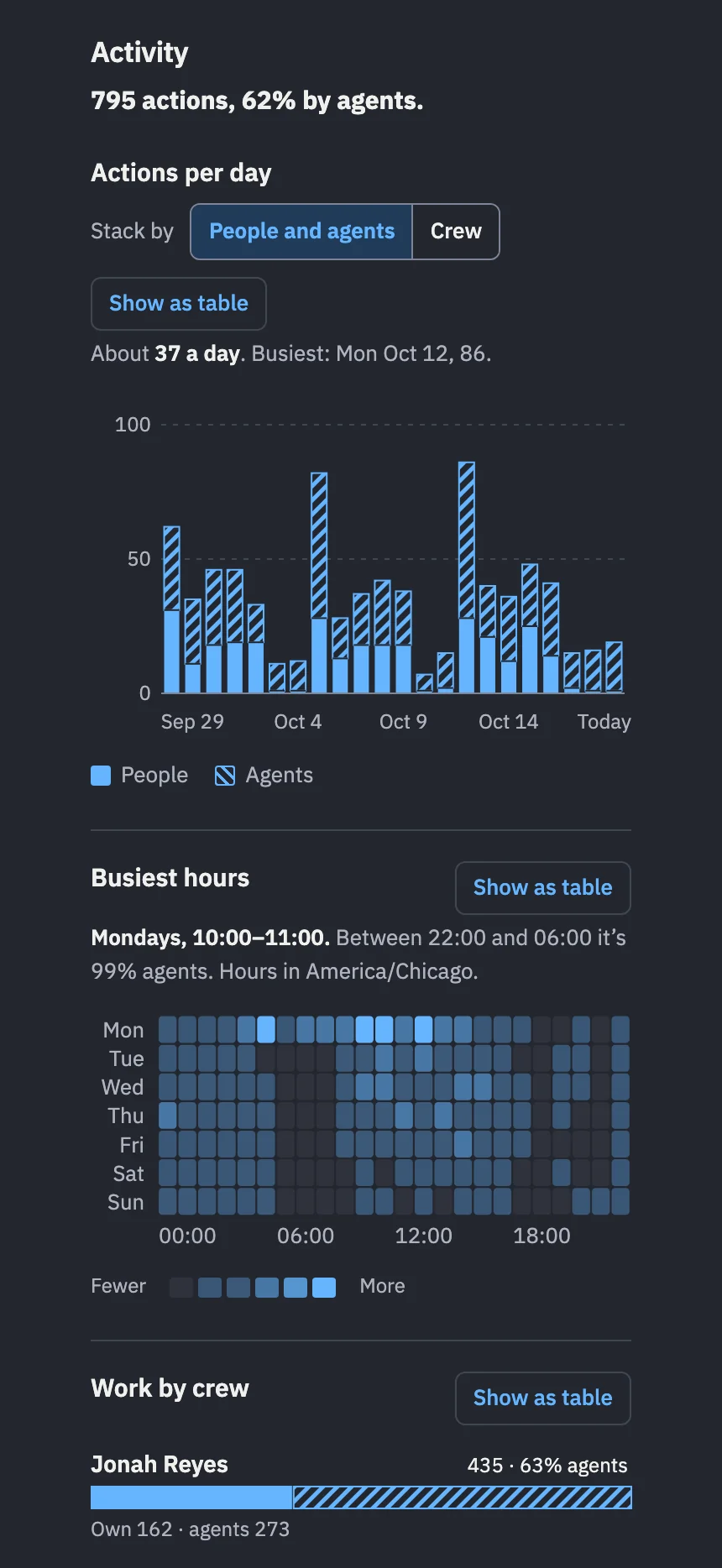
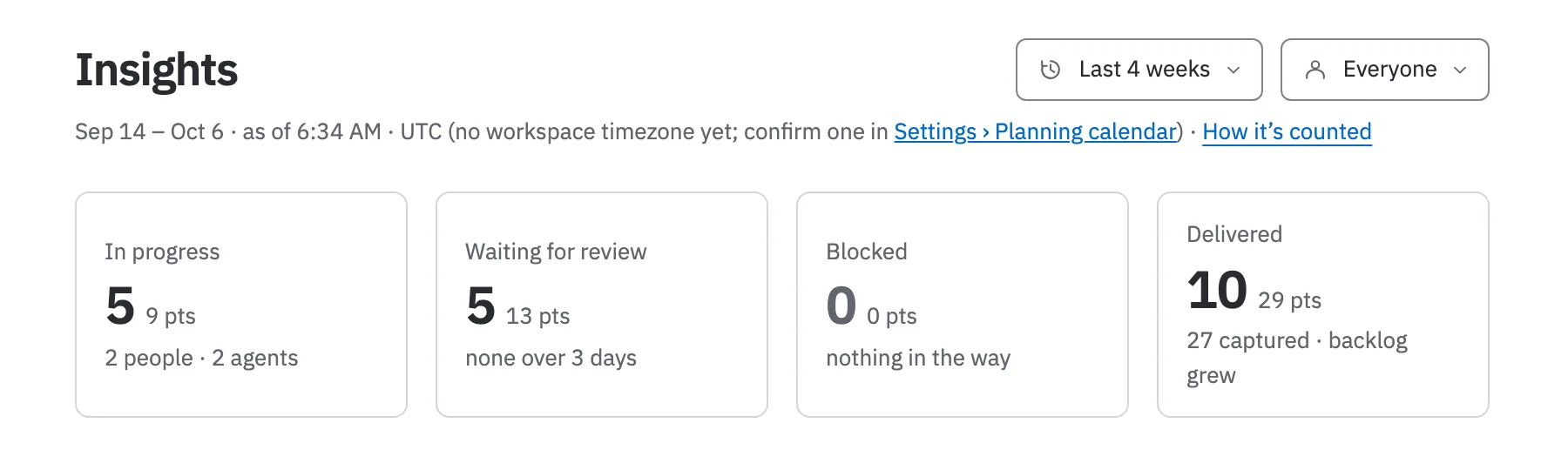
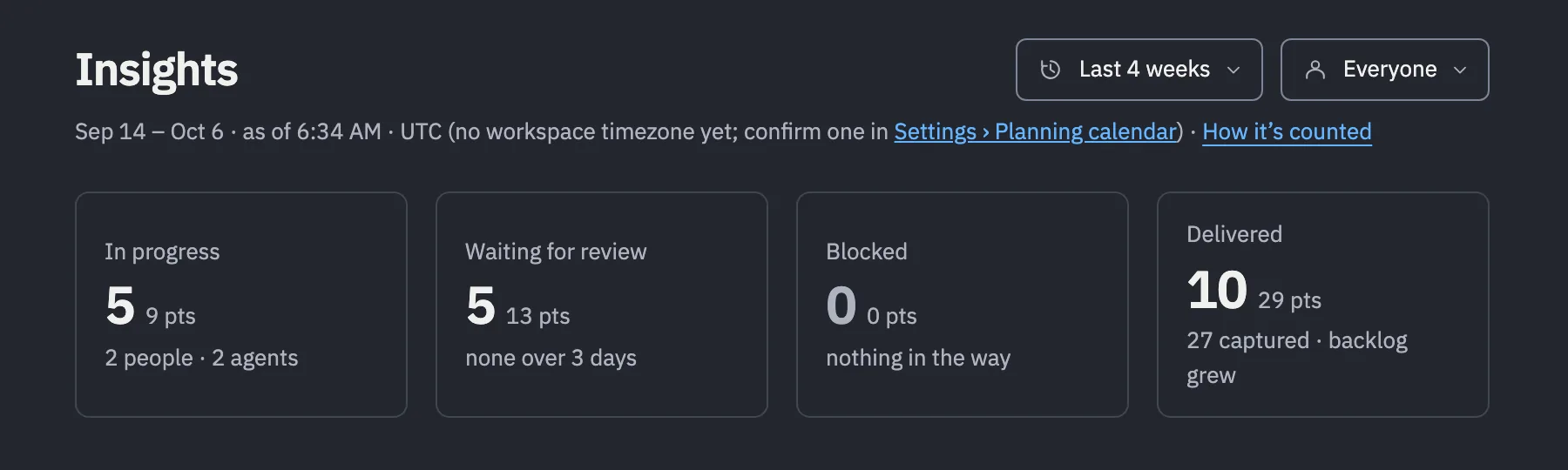
Insights credits every action to a person or to the agent they ran, hour by hour, night shift included.
How Insights works

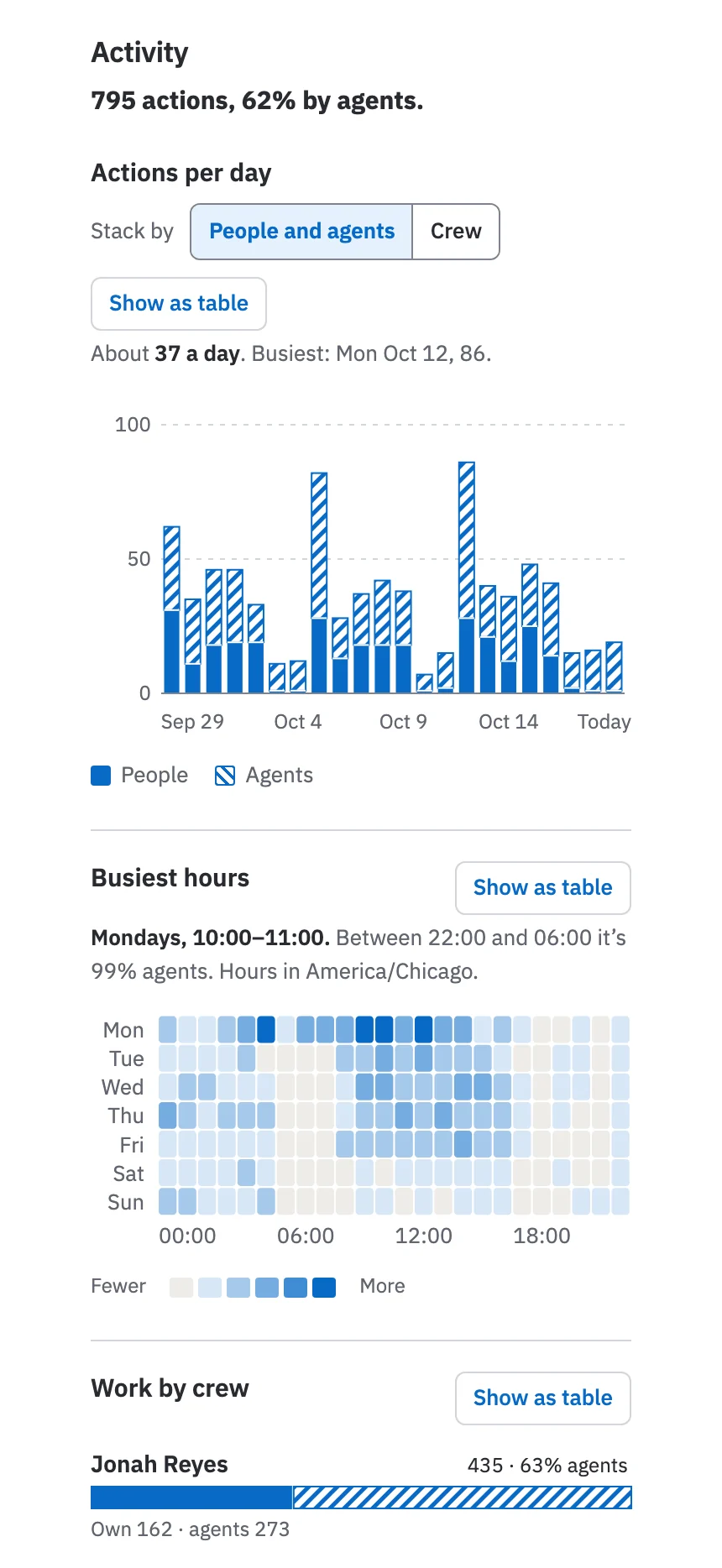
Hydrant Insights for a sample workspace, Activity from Sep 29 to today: 795 actions, 62% by agents. Actions per day split people (solid) from agents (hatched), about 37 a day. Busiest hours peak Mondays 10:00 to 11:00, and between 22:00 and 06:00 it’s 99% agents. Work by crew: Jonah Reyes 435 actions, 63% by his agent Codex; Maya Ortiz 360, 61% by her agent Claude.Hydrant Insights for a sample workspace, Activity from Sep 29 to today: 795 actions, 62% by agents. Actions per day split people (solid) from agents (hatched), about 37 a day. Busiest hours peak Mondays 10:00 to 11:00, and between 22:00 and 06:00 it’s 99% agents. Work by crew: Jonah Reyes 435 actions, 63% by his agent Codex; Maya Ortiz 360, 61% by her agent Claude.Hydrant Insights on a phone for a sample workspace: 795 actions, 62% by agents, with actions per day split people from agents, the busiest hours grid and Jonah Reyes’s crew at 63% agents.Hydrant Insights on a phone for a sample workspace: 795 actions, 62% by agents, with actions per day split people from agents, the busiest hours grid and Jonah Reyes’s crew at 63% agents.

And what it costs.

See pricing